

When you need to recreate a folder hierarchy elsewhere in the same Autodesk Forma project, Flowzito provides Create child folder structure. This mode recreates the hierarchy without copying file contents.
Quick read
- Open Files & Folders → Copy and choose Create child folder structure.
- Pick source and destination folders in the current project.
- Build a Preview before any write.
- Flowzito blocks unsafe destinations and scopes beyond its safety limits.
- After confirmation, inspect the destination tree before using it as a project template.
Before you start
Make sure the extension is attached to the intended Forma project. If the session or project context is uncertain, resolve that first with Connect Flowzito to the open Autodesk Forma project.
Use a dedicated destination when possible. The destination cannot be the source itself or a folder inside the source tree.
1. Switch the Copy mode
Open Copy and set Mode to Create child folder structure. Flowzito reads the source hierarchy and plans the child folders that must exist at the destination.
For copying files, use Copy files and folders with Flowzito instead.
2. Select source and destination
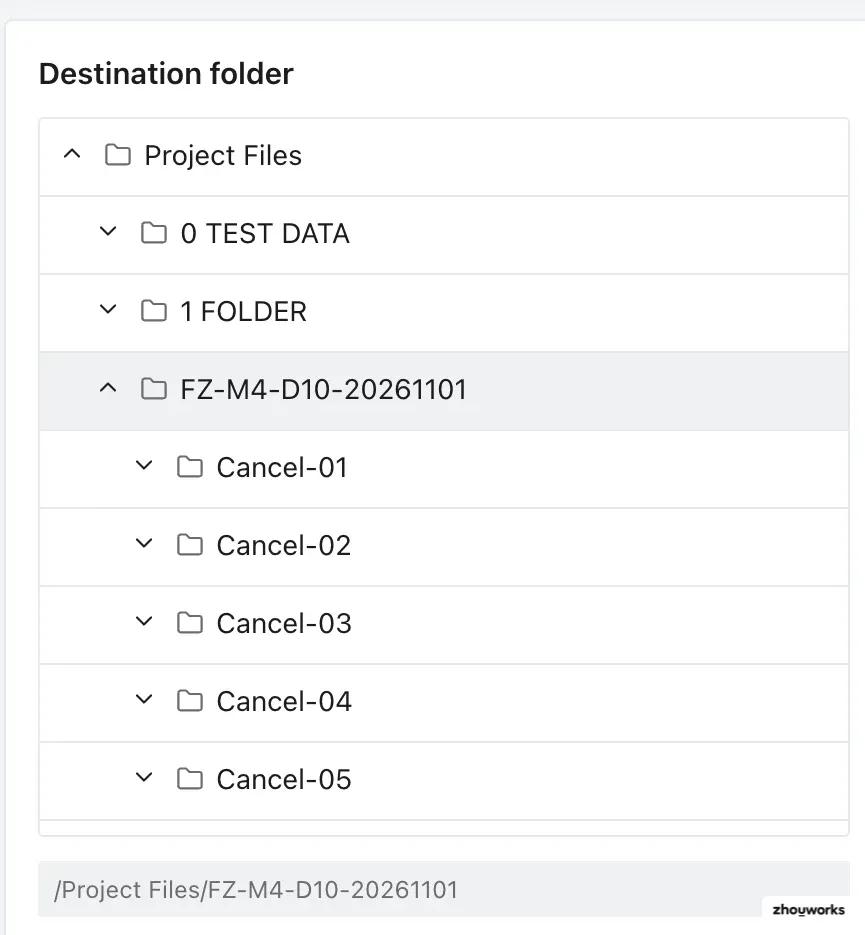
Choose the Source folder, then the Destination folder. Check both displayed paths before previewing.
An unsafe destination is rejected so the operation cannot recursively copy a tree into itself.
3. Review the preview
Select Preview. The preview gives you the scope before a write is allowed.

Flowzito limits the Copy scan to 500 folders and 500 files, and an excessively deep tree can also be blocked. In structure-only mode, the folder count is the practical limit to watch first; narrow the source branch if the preview is too large.
4. Confirm and verify
Proceed only when the preview matches the intended tree, then confirm the reviewed project and operation. Flowzito creates or verifies the required folders during the job.
After Completed, inspect the destination hierarchy.

For Paused, Needs attention, or Error states, check Jobs and operation progress before retrying.
Related use case
This workflow recreates structure only. To include folder access rules, continue with Copy folders with permissions.