

When an Excel import into Autodesk Forma is blocked, check the relevant Flowzito XLSX workflow: Import folder tree and permissions or Import members XLSX. Use Preview Issues to identify the failed rule before editing the file.
Member-import errors
- Wrong headers or formulas → invalid workbook → keep exactly Email, Access Level, Company, Roles, remove formulas, and load it again.
- Invalid or duplicate email → the row cannot be planned → correct the address or duplicate in the workbook.
- Company/Role missing or ambiguous → Flowzito cannot resolve the assignment → verify the exact name in Autodesk and fix the workbook.
- Existing member differs from the row → import will not overwrite the person → use Member administration when the goal is to change Company/Roles for an existing member.
Folder-tree and permission errors
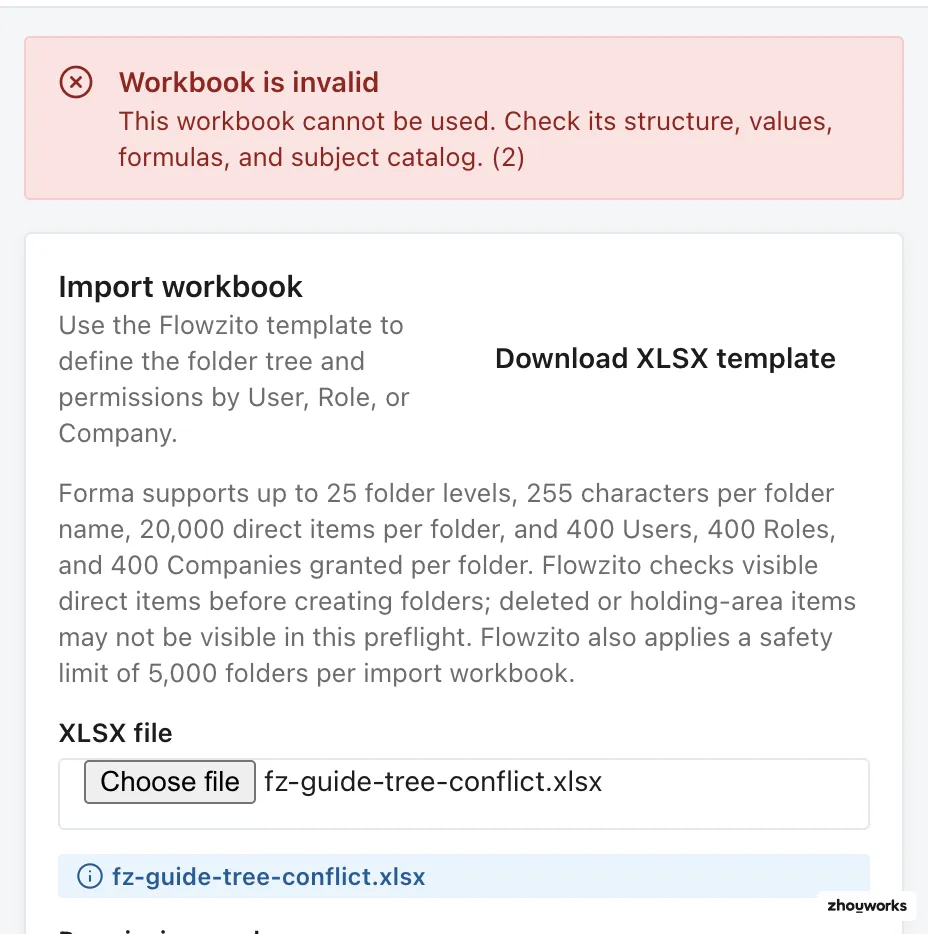
A collision fixture is blocked during validation with 2 errors; no write occurred.
- Skipped Level column → invalid path → keep Level 1, Level 2, and later levels continuous.
- Folder-name collision or a file uses the required folder name → destination conflict → rename or resolve the item, or choose another destination.
- Requested access below inherited access → the requested result cannot be produced by a lower direct assignment → correct the permission matrix.
- Add/raise would lower access → the selected mode does not match the intended change → use Replace only when the workbook is genuinely meant to redefine direct access inside the reviewed scope.
Stale preview
Even a valid workbook needs a new preview when folders, members, or permissions changed after the previous review. When Flowzito reports stale/project-state-changed, build a fresh Preview.
After corrections, load the workbook again, preview it, and check the Issues count. Run only with a clean preview and the correct Hub · Project.
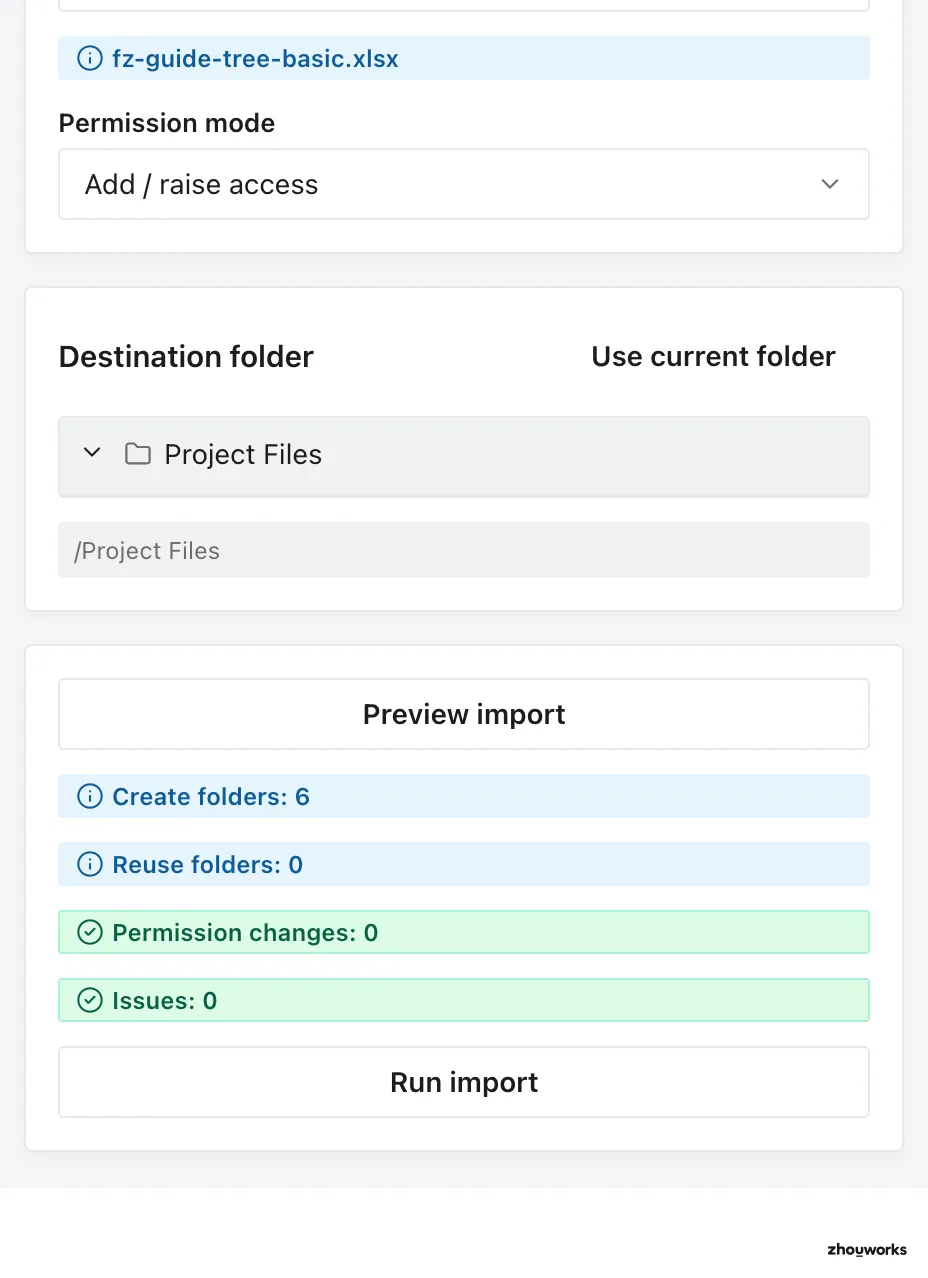
The corrected workbook previews cleanly: 6 folders to create, 0 permission changes, and 0 issues; no import was run for this capture.
See Resolve folder-import conflicts and Import project members from Excel.